

How to Start
Freelancing
This is my quick, practical guide on how to begin freelancing. The world is vast and there are so many creative ways to make money, so don’t limit yourself!
The steps in the post are what worked for me. On Upwork, I am a Top Rated Plus freelancer & have a 100% Job Success Rate.
I share this information to show you what is possible with remote freelancing and inspire you to take action today.
One pathway, endless options.
Welcome!
So you’ve decided you want to take control of your financial destiny.
Whether you need to make extra money or want to work for yourself, making the leap into freelance life can be both exciting and overwhelming.
Before we dive in, I want to clarify a few terms. These terms are often used interchangeably, but you can decide which one feels the most reflective of your path.
-
Typically works on hourly, project-based, or retainer work for multiple clients. Experience level varies.
-
Typically offers specialized services for a set period of time; often has deep experience in a specific area.
-
Owns a business that provides services, products, or both. May work solo or have a small team.
-
Typically refers to someone who creates a business they intend to grow; often associated with startups/tech world.

Steps to Start Freelancing
01
Identify Your Why
(Don’t Skip This)
02
Create 5
Brainstorm Lists
03
Do Market Research
on Upwork
04
Craft Your Offer,
Price, & Upwork Profile
05
Skip the Website,
Build a Portfolio
06
Vetting Clients &
Sending Proposals
07
Make a List of
Personal Practices
08
Tools to Stay
Organized
09
Business Basics
& Tax Tips

Step 01
Identify Your Why
First, identify why you want to start freelancing.
Knowing your why becomes essential as you craft your offering and decide which clients to work with.
Your why becomes your north star, your motivation. It can also be your gut check when uncertainty arises. You can simply ask, does this project/rate/client rate align or support my why?
-
I want to be in charge of my own time and hours
I want to be able to rely on myself for income
I want to work remotely from anywhere
I want to build a business and small team
I want extra income to support my lifestyle
I want to transition out of my job and do something I enjoy
I want to quit my job or I got laid off, and need to start making money now
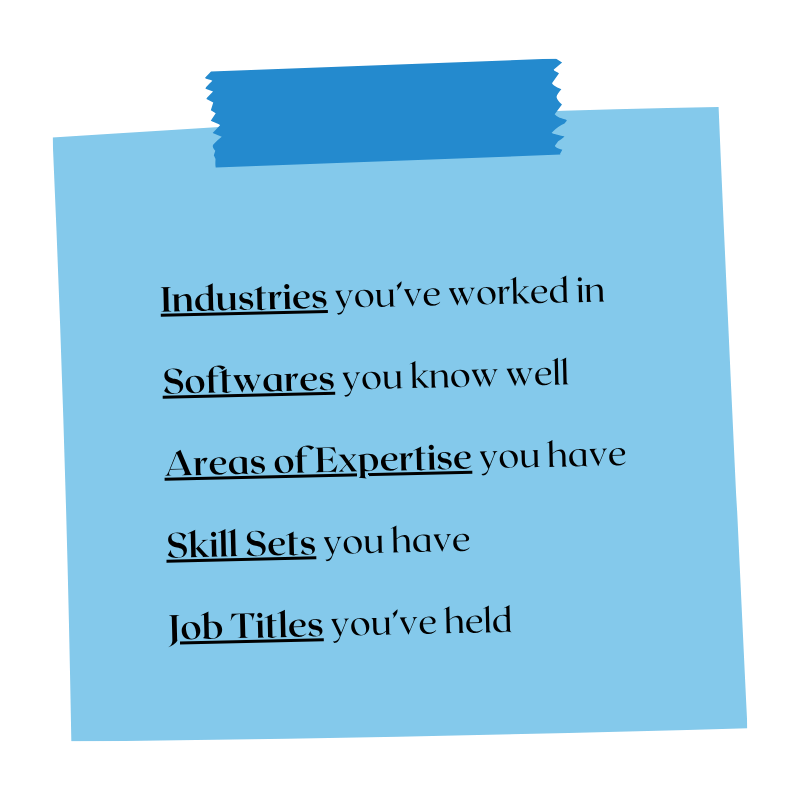
Take a few hours to reflect on your work experiences and create 5 different Brainstorm Lists.
You likely already have some of this info in a resume, so upload it to ChatGPT or Claude and ask it to pull a refined list as a starting point.
Once you have your lists (they can be short or long), these become your keywords!
Mark the keywords you are most interested in pursuing for freelancing.
Create 5 Brainstorm Lists
Step 02
Do Market Research on Upwork
Step 03
Create a free account on Upwork.
In the search bar, start typing in your top keywords from your Brainstorm Lists. This will pull up jobs associated with your keywords so you can see what people are actually hiring for.
Do:
✅ Test different keywords
✅ Use the filters on the side to narrow your results
✅ Use the hourly rate and project fees to filter for rates you want. This helps filter out low paying jobs.
✅ Look at the Hirer’s profile in the job listing; where they are based, their rating, and average hourly rate.
The goal of this exercise? Identify jobs you can do that are also a financial fit. This will help craft your offer.
Have fun in this process, stay curious! You may be surprised what results pop-up with certain keywords.

Craft Your Offer, Pricing, and Upwork Profile
Step 04
Crafting Your Offer
Your offer doesn't need to be perfect on day one. Start simple and refine it as you work with clients.
Consider:
→ What problems or pain points are you solving?
→ What are your actual deliverables?
→ How much support is included? What is not included?
→ What is the timeline?
→ How will you charge (hourly, project, retainer)?
→ What is the next step?
Pricing
This can vary widely depending on what you offer.
General Rule: Calculate your hourly rate from your salary, then double it. This is your freelancing hourly rate. This creates a cushion for taxes, health insurance, and non-billable hours.
Example: $60K/year ≈ $30/hour. Your freelance rate ≈ $60/hour.
Another option is to work backward: decide how much you want to make each year and how many hours you want to work each week, then use those numbers to determine your rate.
🎥 Loom walk-through of my Upwork profile and what to look for when creating yours.

“Do I need a website to start freelancing?”
The short answer is no!
I freelanced for 1 year without: a website, a logo, or any branding. So don’t get caught in building a brand when you don’t need one to get started. You can build your brand and website later down the road.
Instead of building a website, I created a Community Portfolio on Notion.
This was free, easy to build quickly, and served as a “website”. On my Community Portfolio, I highlighted my areas of expertise, case studies, and what it was like to work with me. I then linked my portfolio directly in all proposals or messages to clients.
🔗 My Community Portfolio on Notion
A bonus I didn’t expect: many of my first clients were entrepreneurs who used Notion and liked I knew the platform.
Skip the Website, Build a Portfolio
Step 05
⚠️ More upfront costs
⚠️ Requires business name & branding elements
⚠️ Easy to overthink
⚠️ Takes longer to build
Build a Website
✅ Free
✅ No branding required; can still be visual
✅ Simple building process
✅ Quick to build
Build a Portfolio on Notion
-
You can truly do this whenever. I built and launched my brand and website 1-year into my freelance journey.
I lucked out in one way: back in 2016 I created a small business to start selling my ceramics. So from that, I already had a brand name, logo, Squarespace website, and Google Workspace — all I need to do was revamp it. I didn’t use the brand from 2017-2022, so I guess my 6 years of paying for Squarespace and Google finally paid off.
When you start building your brand and website here are some low cost options to consider:
→ Creative Market: for cool images, icons, etc.
→ Coolers.io: for determining your color palette
→ Canva: For bringing design elements together to create images.
→ Google Workspace: For claiming your business email.

Vetting Clients + Sending Proposals
Step 06
-
In the beginning you may feel pressured to work with anyone who will pay you, but please take care to vet your clients carefully.
Here are a few ways I vet clients, whether I am sending a proposal or they have invited me to apply for a job.
Verified Payment Method: I won’t submit a proposal or schedule Discovery Call until a potential client has this.
Client Rating on Upwork: Consider this carefully. Most clients I work with have high ratings. One time I made an exception because this client had a lower rating (3 stars) but not many reviews so I gave the benefit of the doubt. It was a mistake.
Free Discovery Call: Before I work with anyone, I always have a 20-minute chat with them to make sure we’re aligned on scope.
Trust Your Gut Instinct: Every time I ignored soft red flags during a Discovery Call, I almost always ran into issues later with the client. So trust yourself!
-
When sending Proposals, don’t overthink it or make it too long.
→ Lead with how you can help.
→ Establish your qualifications or quick proof points.
→ Suggest 20-minute discovery call to see if it’s a fit. -
Hello Hiring Team,
I’m interested in helping you quickly get your Circle community setup! What you've outlined sounds very straightforward and shouldn't take too long to set up.
I have built 3 communities on Circle, so I'm well-versed in Circle’s back-end, settings, and features. I even have a setup checklist ready for us to take action on. Additionally, I've managed a Circle community for 3 years, so I can strategically design your Community to maximize engagement.
If there’s alignment, I’d love to connect and learn more about the community your building and how I can support. You can book a 20-minute call here: [LINK]
You can get to know me a bit better in my Community Portfolio if you would like: [LINK]
Thank you,
Christina
Make a List of
‘Personal Practices’
Step 07
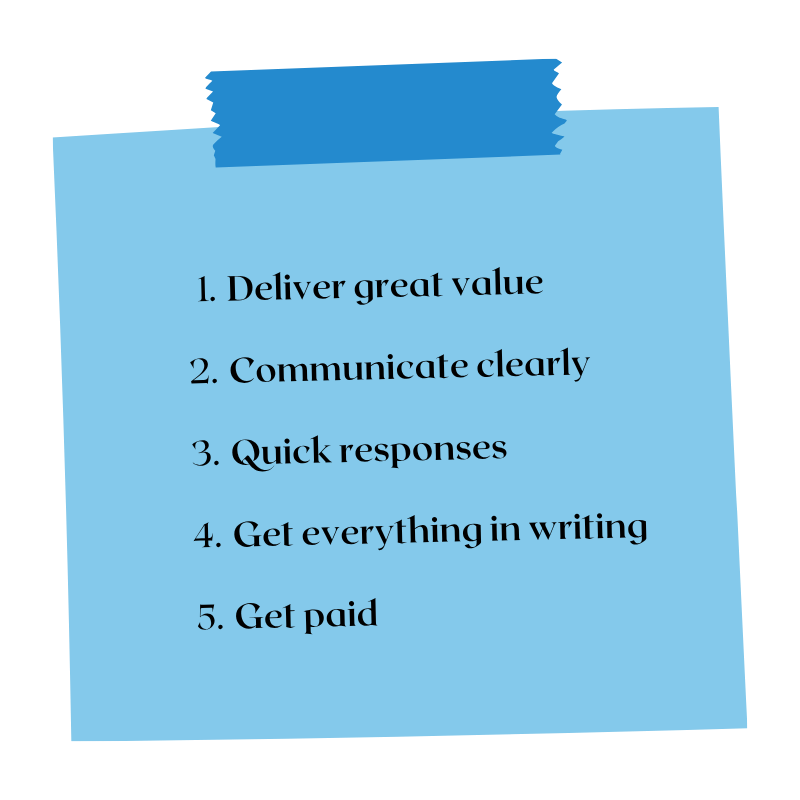
Okay, you’ve crafted your profile, started sending proposals, and are ready to start taking on clients!
Before you begin, I recommend making a list of Personal Practices to help hold yourself accountable.
They’re super simple, but they remind me of what I’m committing to as an entrepreneur and business owner.

Step 08
Depending on your offer you may need different tools to run your business.
Here’s what my current tech stack looks like:
Squarespace • Domain • $20/Year
Squarespace • Website Subscription • $96/Year
Google Workspace • Communication & Documents • $9/Month
Fathom • AI Meeting Notetaker • Free
Canva • Invoices and Graphic Design • $15/month
CapCut • Video Editing • $22/month
ChatGPT • Ideation Partner • $22/month
Claude • Ideation Partner • Free
Notion • Internal Project Management • Free
Toggl • Tracking Client Hours • Free
Slack/WhatsApp • Quick Client Comms • Free
Tools to Stay Organized
-
I try to accept payment any way people can pay me:
Domestic Bank Account (ACH Transfer)
Wise (Domestic, International, Various Currencies)
Venmo
Stripe Invoice
Upwork
Paypal
Some clients also set me up on their payment platform (Gusto, Mercury, BILL, etc.) and I typically receive payment as an ACH Transfer.
Typically I require a deposit to start work, and send invoices on the 1st and 16th of the month.
-
I use Notion as my internal Business Hub and Dashboard. It’s simple but helpful!
I have a sheet for leads (inbound/outbound) with statuses.This helps me track leads and hires.
I have a kanban board for tasks.
I have a community HQ which houses info, templates, etc.


Business Basics + Tax Tips
Step 09
Business Basics
Becoming a freelancer and running your own business doesn't have to be complicated or overwhelming.
At a minimum, I would recommend:
→ Create an LLC (cost depends on your state)
→ Get an EIN (free and federal)
→ Open a business bank account
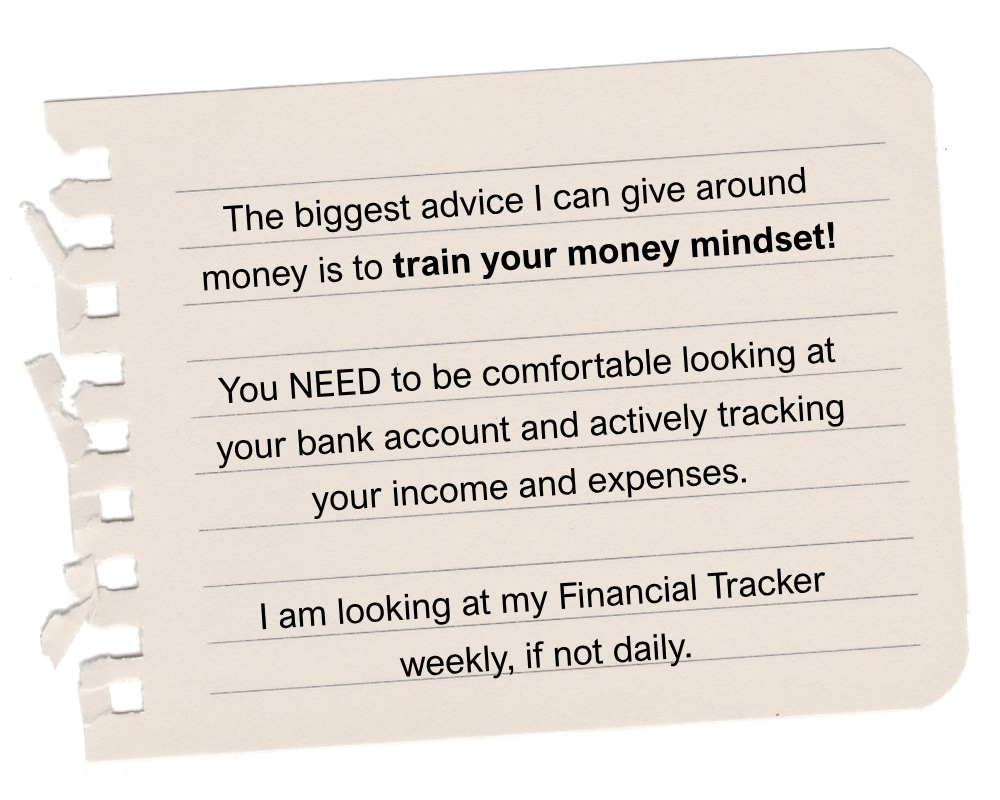
Financial Tracker
You can easily track all your essentials in one spreadsheet. Here’s the tabs on mine:
Income
Expenses
Tax Sheet (auto-calculates how much I need to set aside for taxes)
Personal Income (HYSA); your report this on your tax return
Health Insurance; you can report this on your tax return
Roth IRA Contributions; nothing to do with my business or taxes, but this is where I track. I try to max it out as quickly as a I can each year.
Tax Tips
→ I do my own bookkeeping. If your business is simple, can you get far on your own with some help from ChatGPT.
→ I file my own taxes and use the IRS's Free Fillable Forms.
→ I don’t pay quarterly taxes (yes, they tell you to) instead I put my tax money in my HYSA to accrue interest over the year (stock market feels too risky for me). I set aside 15-20% of my income for taxes.
Frequently Asked Questions
-
Within 2 days of sending my first proposal, I was hired. This is one thing I love about working with clients on Upwork! They typically need time sensitive help and hire right away.
-
Yes, absolutely. This wasn’t my path, but I recommend doing this if you can manage the workload. This allows you to trial freelancing, start building out your processes, and feeling out if you enjoy entrepreneurship.
-
In my experience, this worked very well. I focused on platform setup for a specific software (Circle).
If you have a broader offer, I would recommend having specific case studies or specific examples in your offer so your potential client understands exactly what you offer.
-
Yes, please do this!
During my first month of freelancing, I reached out to 3 different friends or industry peers in my network every day.
Some of those conversations turned into email catchups, LinkedIn messages, or Zoom calls.
I didn't have a clear freelancing offer yet, and I wasn't asking for work. Instead, I used these conversations to learn what people were building, hear what challenges they were facing, and share what I was exploring and excited about.
The goal wasn't lead generation. It was relationship building, peer advice, and staying curious. Looking back, it was a great way to learn and start talking softly about my business before I had everything figured out.
-
In my opinion, there are a lot of advantages to using Upwork, especially in the beginning while you're figuring out your offers and communication style.
Pros
→ Easy time tracking
→ Built-in messaging and documentation
→ Guaranteed weekly payments for hourly contracts
→ Financial protection and accountabilityCons
→ Platform fees (but these can be deductible as a business expense)Overall, Upwork provides a level of convenience, security, and protection. When you work directly with clients, you become responsible for contracts, invoicing, payment collection, and creating systems to protect yourself.
-
In the beginning, I mostly worked through Upwork so I could get comfortable with freelancing.
About a year later, after launching my website, I started referencing my brand and website name in my Upwork Profile, video, and messages. My rule of thumb now is simple:
If someone contacts me on Upwork, we work together on Upwork.
If someone contacts me through my website, we usually work directly.One note: be verrrryyyy careful about moving Upwork clients off-platform. Upwork is strict about communication and can suspend accounts for policy violations. I've never had an issue because I'm mindful of their rules and genuinely see value in staying on the platform.
For most people starting out, I recommend staying on Upwork because:
Payment is guaranteed
Everything is documented in one place
There is more accountability if issues arise
-
You don't need 20 clients to build a successful freelance business!
Given my offers and and the fact I don’t want to work 40 hours a week, I can realistically support about 4–5 clients at a time, and projects usually last 6–8 weeks.
My advice? Focus on getting your first client, then your second. Build at a pace that makes sense for you.